
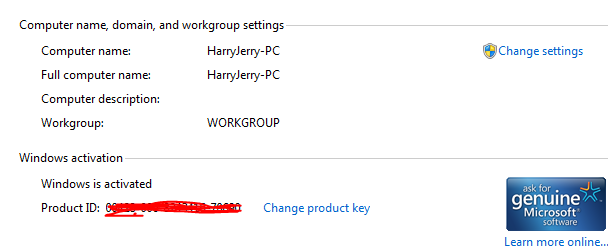
Microsoft seems to have delayed the release of Windows 7 Beta on their website due to the excessive volume of traffic on their servers. Currently they’re in the process of adding more servers to enable people to download Windows 7 Beta. In the meanwhile you can download Windows 7 Beta using any of the direct download links available [WORKING]. Download the file and install your copy of Windows 7 Beta without entering a product key.
To get a product key you have two options. You can either wait, I know you can’t. Or you can try your luck. Here’s what you can do;
The following steps worked for me:
1. Login in you Passport account, for example, here.
2. Without closing the Passport page, open one of the following in a new tab:
Windows 7 Beta 32-bit
Windows 7 Beta 64-bit
[From: LifeHacker]
You’ll get an error but you have to keep trying until you get the product key. Once you get the product key you can activate Windows 7 Beta. Hope it works for you. Worked for me! 

Article by Harry
Harry has written 461 awesome articles on HarryJerry.com.
About: ...an engineering student, a freelancer, a professional blogger, a loving lover, too shy, an Internet freak....and everything I shouldn't be.
|
|
Tags: beta 1 key, download, microsoft, Windows 7
Related Posts
- Windows 7 Beta: Download Guide
- Windows 7 Beta Review: First Impressions
- Windows 7 Beta: What all is new?
- Windows 7 Beta Review: Installation
- 16 Really Cool Things in Windows 7 Beta!
- Windows 7 RC is coming in May!
- Optimize Windows 7 & Vista With Ultimate Windows Tweaker
- Essential Software for Windows 7